DR runbook setup
The screenshots and copy below are live captures from a real plan and its run history, verified end to end 2026-09-16.
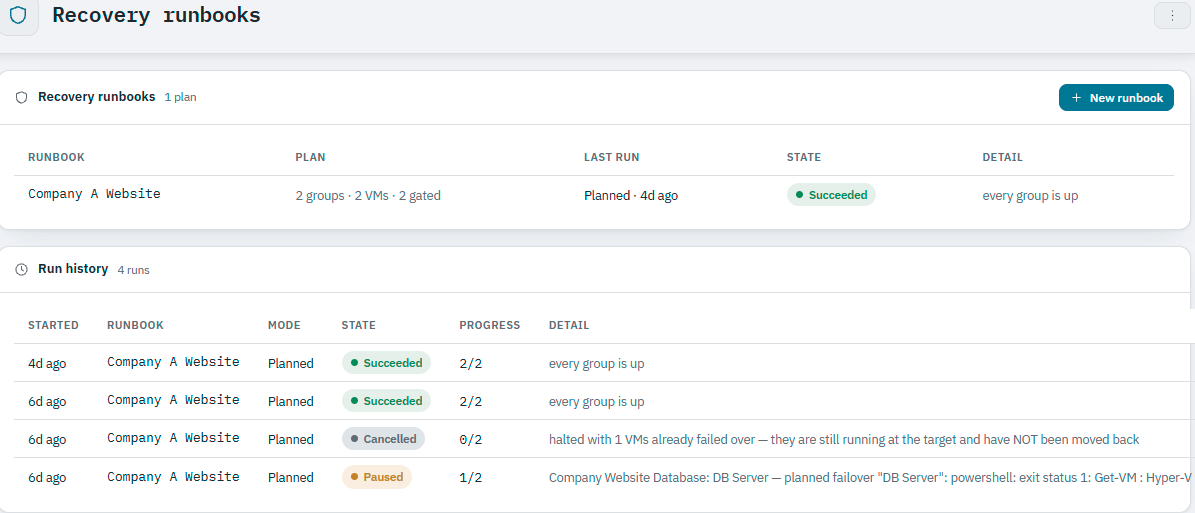
From the console's own recovery runbooks screen:
A runbook is the order your site comes back in: directory and DNS first, then the databases that need them, then the applications on top. Ballast walks it a tier at a time and will not start one tier until the one before it is actually serving — which is the difference between a recovery and forty VMs booting at once.
It orchestrates the Hyper-V Replica relationships you already have. Each VM in a plan keeps its own replication target; the runbook only decides the order and what has to be true between tiers.
The runbooks list shows each plan alongside its most recent result:
1. Set up replication first
A runbook orchestrates order, not replication itself. The VMs it covers need to already be replicating from the primary cluster to the recovery cluster — each one keeping its own Hyper-V Replica target — before a runbook is useful.
2. Author the runbook
A runbook is a named plan made of numbered groups, each holding one or more VMs. Groups run strictly in order; the VMs within one group run together. Here is a real two-tier plan, "Company A Website":
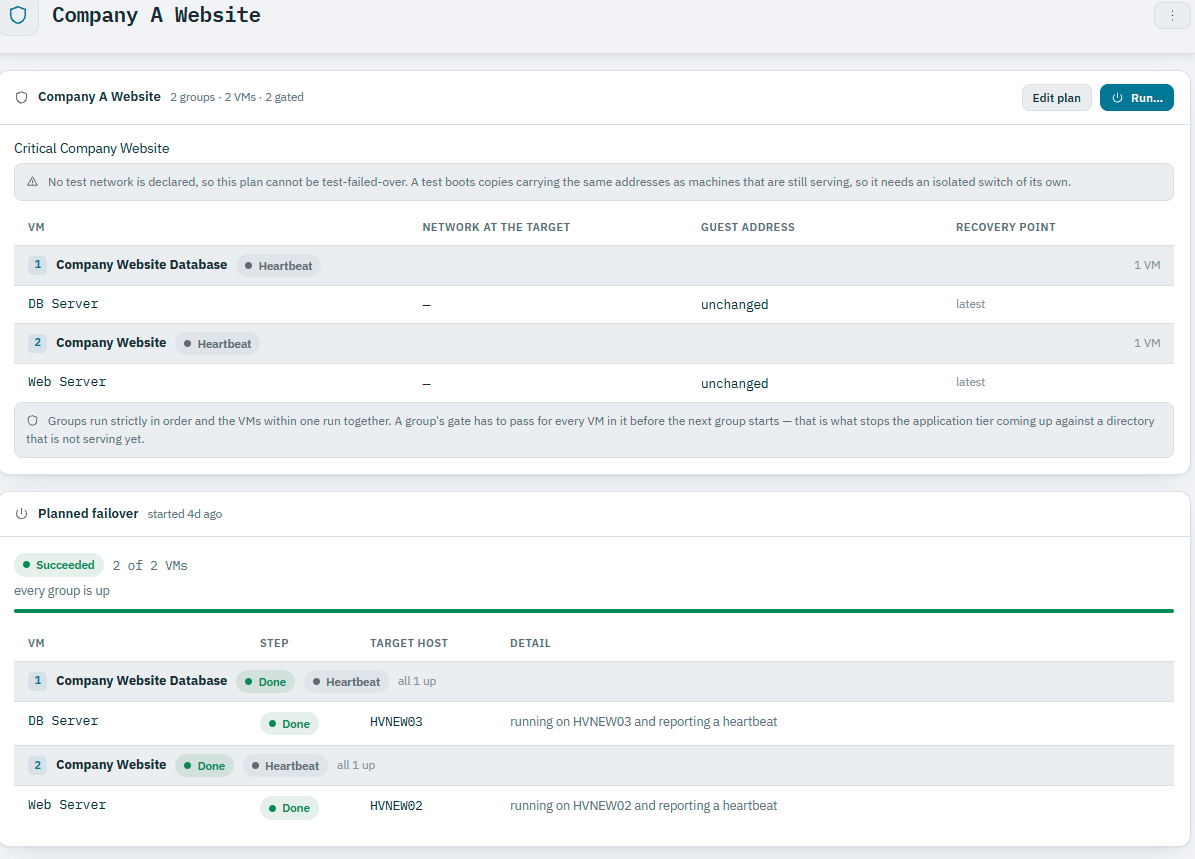
- Group 1 — Company Website Database (
DB Server) - Group 2 — Company Website (
Web Server)
Groups run strictly in order and the VMs within one run together. A group's gate has to pass for every VM in it before the next group starts — that is what stops the application tier coming up against a directory that is not serving yet.
Each VM in a group can independently declare its network at the target,
whether its guest address changes on failover, and its recovery
point (latest, or a specific one). A plan that has no isolated test
network declared cannot be test-failed-over — the console says so directly
rather than letting a test boot collide with production addresses.
3. Invoke it
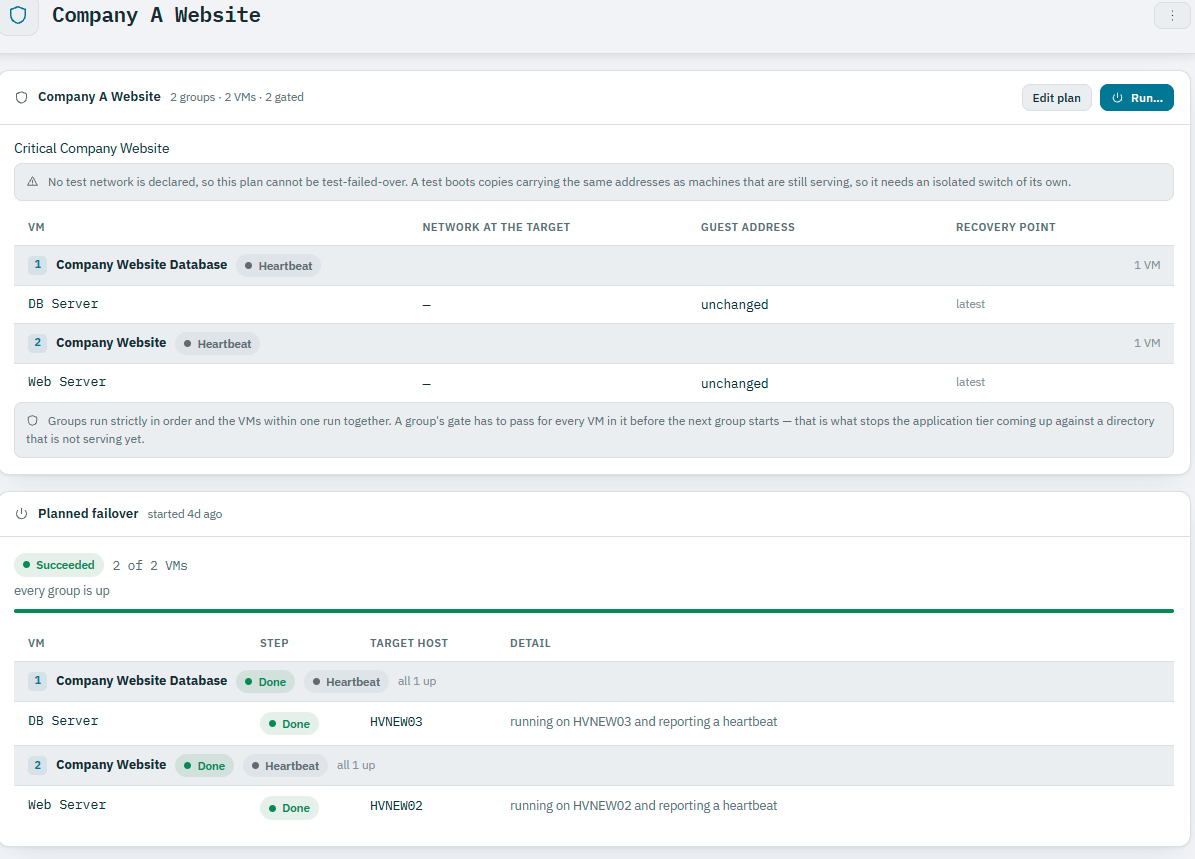
Invoking a runbook is a single operator action from the console. Ballast walks the declared groups in order, waiting for each group to actually be serving before starting the next:
When something doesn't go cleanly
A runbook run's detail names the exact cause, not just a failed/succeeded flag — including what state a partially-completed run leaves things in, which VMs are already moved and which are not. The plan's Run history keeps every past run, not just the latest:
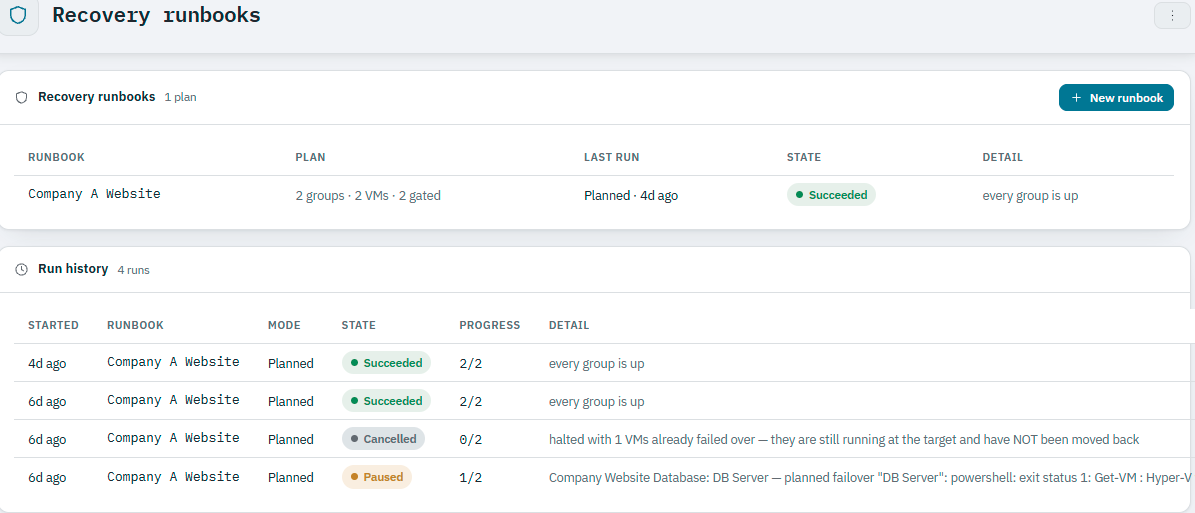
A run enters Paused when something wasn't safe to proceed through — a
group ran out of its timeout budget, or a member failed in a group that
doesn't tolerate a failed member. It holds rather than skipping ahead to the
next group, and the run's message names the group and the members still
outstanding (the real example above names the exact Get-VM failure and
which VM it was for, not a generic "step failed"). Resuming a paused run is
always an operator decision, never automatic. Cancelled is terminal,
recorded the same as Succeeded or Failed once a stop has been requested —
and, as the example above shows, it still states plainly which VMs already
moved and have not been moved back, rather than leaving that for the
operator to work out from the target cluster.
After a failover
What happens to the primary/recovery roles depends on the mode the runbook ran in:
- Planned failovers reverse automatically as part of the run itself: the source VM is stopped gracefully, its final replication delta is flushed, the replica is brought up as the new primary, and replication direction is reversed so the old primary becomes the new replica. Nothing further is needed to keep future invocations correct.
- Unplanned failovers do none of this, by design — an unplanned failover assumes the original primary is gone and never contacts it. Replication is left broken until an operator reverses it once the original primary is back online and reachable again.