Deploying a cluster
Live captures and copy from a real appliance, verified end to end 2026-09-20.
Provisioning a host and joining a cluster cover building a cluster one host at a time. The New Cluster wizard is the other path: declare the whole cluster, members, networking and storage, in one pass, reusable as a blueprint the next time you build the same shape again.
The wizard is four steps: Nodes → Networking → Storage → Review. Nothing is created until the last step; every earlier field stays editable.
Step 1, Nodes
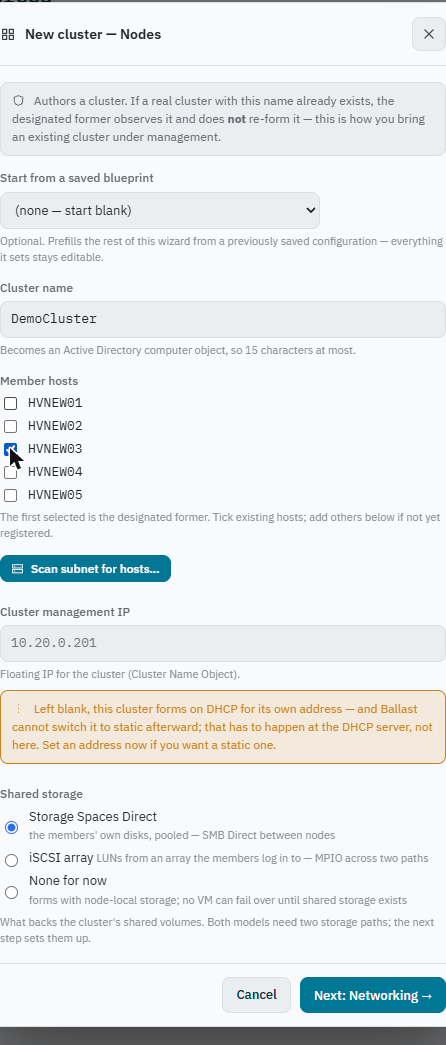
Name the cluster, pick its member hosts, choose what backs its shared storage (S2D, iSCSI, or none), and, if you want one, a cluster IP. The storage choice is asked here rather than later because it decides the shape of the networking step that follows: both models multiplex storage traffic across interfaces (SMB Multichannel for S2D, MPIO for an array), so both need two storage vNICs on two uplinks, and neither can be added afterwards without redoing the switch.
This is also where a saved blueprint comes in, see Reusing a configuration below.
Step 2, Networking
The converged SET switch, its team members, and one or more management vNICs (name, VLAN, IP/gateway/DNS per host, purpose, MTU). The quorum witness is set here too, and deliberately left blank rather than guessed: the witness usually lives on a file server Ballast has no agent on, so prefilling a path would mean inventing infrastructure that may not exist. Left blank, the cluster forms on node majority alone, and its own page reports that plainly as an exposure worth closing, not as a silent default.
Step 3, Storage
For S2D: which data disks to wipe going in, and the first volume to carve (with the option to make it the cluster's default VM storage path, a declared intent that takes effect once the CSV exists, not an imperative step that has to happen in order). For iSCSI: discovery portals, target IQNs, CHAP credentials, and whether to clear each member's stale iSCSI favourites before it connects (default on, at creation the hosts are standalone, so nothing yet depends on their existing iSCSI state, which is the one moment clearing it is free).
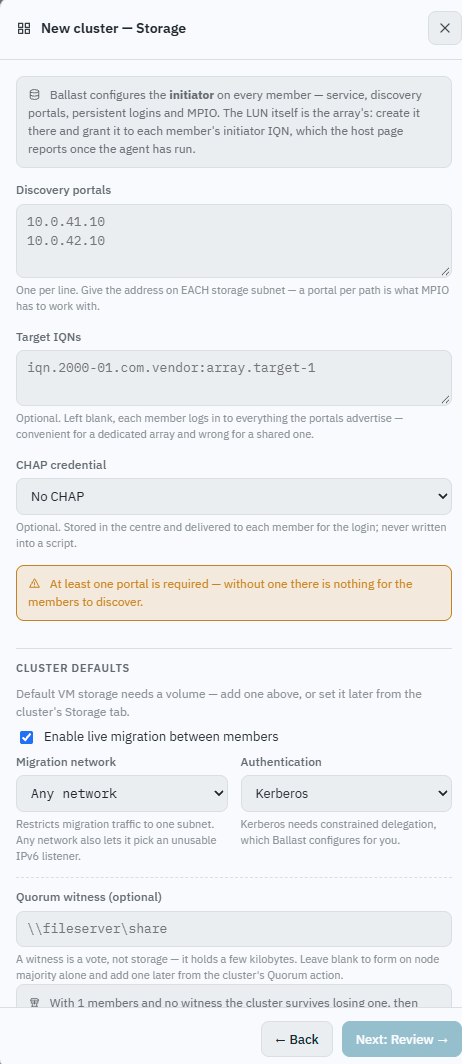
Ballast owns the initiator side only, the service, portals, logins, MPIO. LUN creation and sizing belong to the array, which is outside Ballast's administration boundary, so nothing here offers to do it.
Step 4, Review
Everything from the previous three steps, laid out for a final check before anything is created, including, for a multi-host switch declaration, a per-host grid of management IP, gateway and DNS wide enough that a CIDR and a DNS list don't get cramped on the one screen meant to be checked before committing.
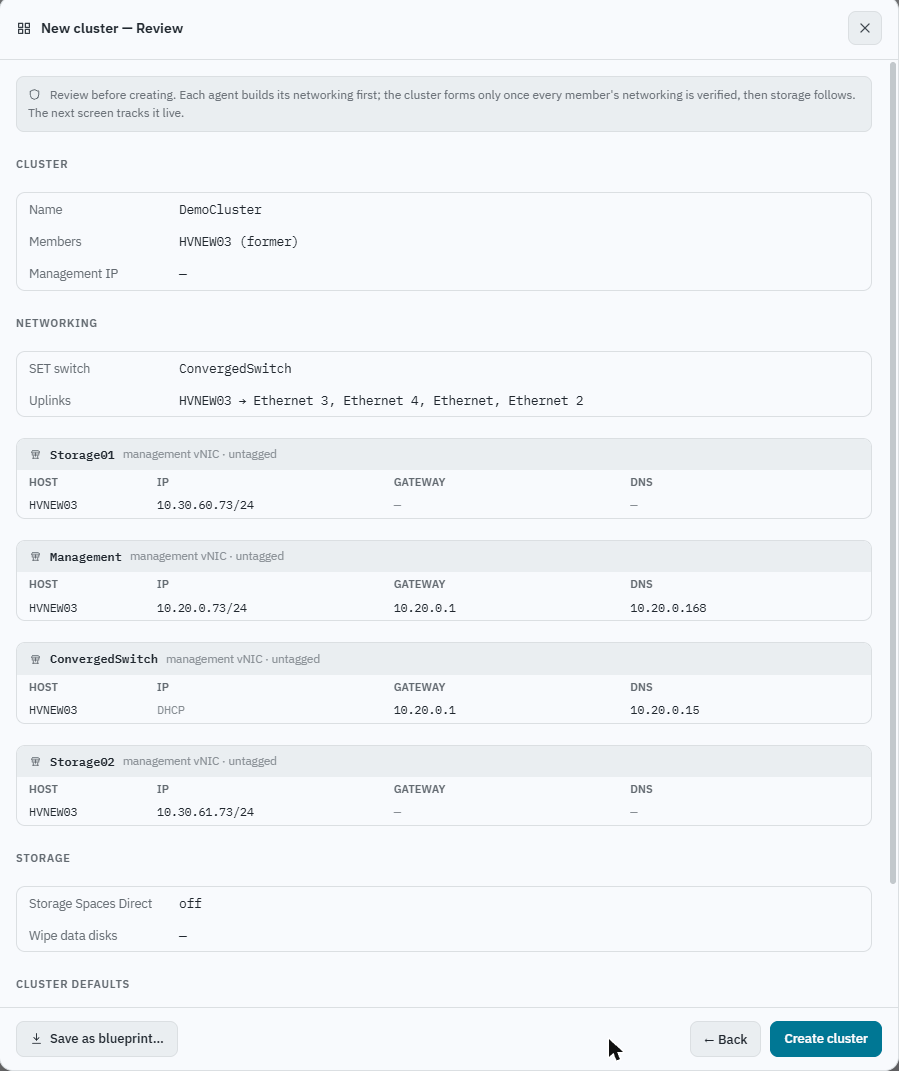
Creating walks each agent through its own networking first; the cluster forms only once every member's networking is verified, and storage follows after that. The next screen tracks each step live:
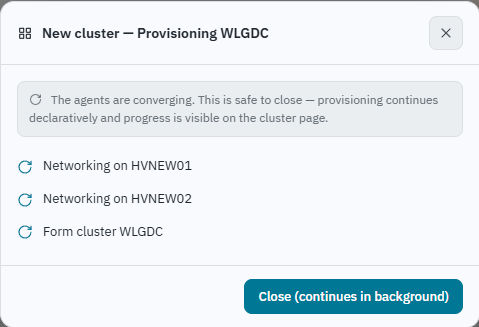
A cluster mid-creation reads as Provisioning, a calm blue state, not amber "needs attention", because Generation is simply ahead of ObservedGeneration while the agents catch up. It settles to green once every step across every member has landed.
Reusing a configuration: cluster blueprints
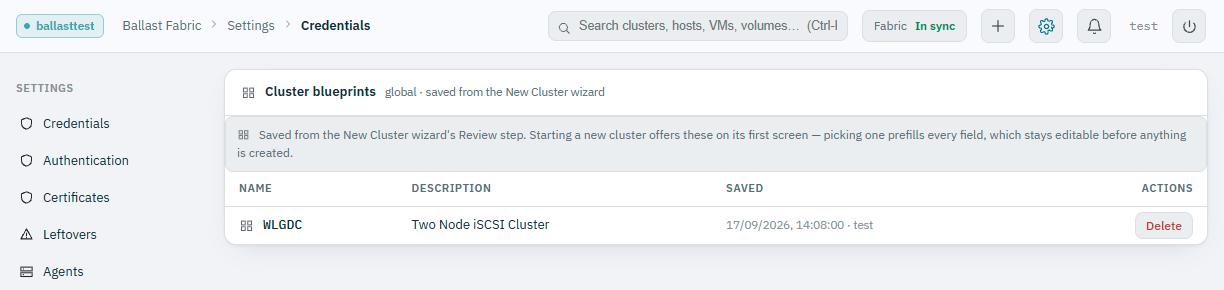
From the Review step, Save as blueprint… saves everything on screen, not the cluster itself, which still needs its own Create cluster click , as a named, reusable configuration. It's a save of what's already in front of you, not a separate decision to walk through.
The next time you open the New Cluster wizard, step 1 offers every saved blueprint. Picking one prefills the whole wizard, nodes, networking, storage, and every field stays editable before anything is created. This is the fast path for standing up several clusters to the same design (a ROBO rollout, a set of matching edge sites) without re-declaring the switch layout and storage policy by hand each time.
Saved blueprints are managed from Settings → Cluster Blueprints, see deleting a blueprint for retiring one nobody needs any more.