Settings reference
Live captures and copy from a real appliance, verified end to end 2026-09-20.
Settings is organised as one panel per concern, not one long form. Each section below is what its panel actually does, several of them are deliberately not where you might expect, and the reasoning for that is worth knowing before you go looking for something in the wrong place.
This page describes Ballast 1.0.1. If you are still on 1.0.0, three things are in different places: the alarm settings were on the Authentication page, the link to Ballast Manager was on the Backup page, and the agent service account panel was under Domain & DNS. Active Directory sign-in arrived in 1.0.1 as well.
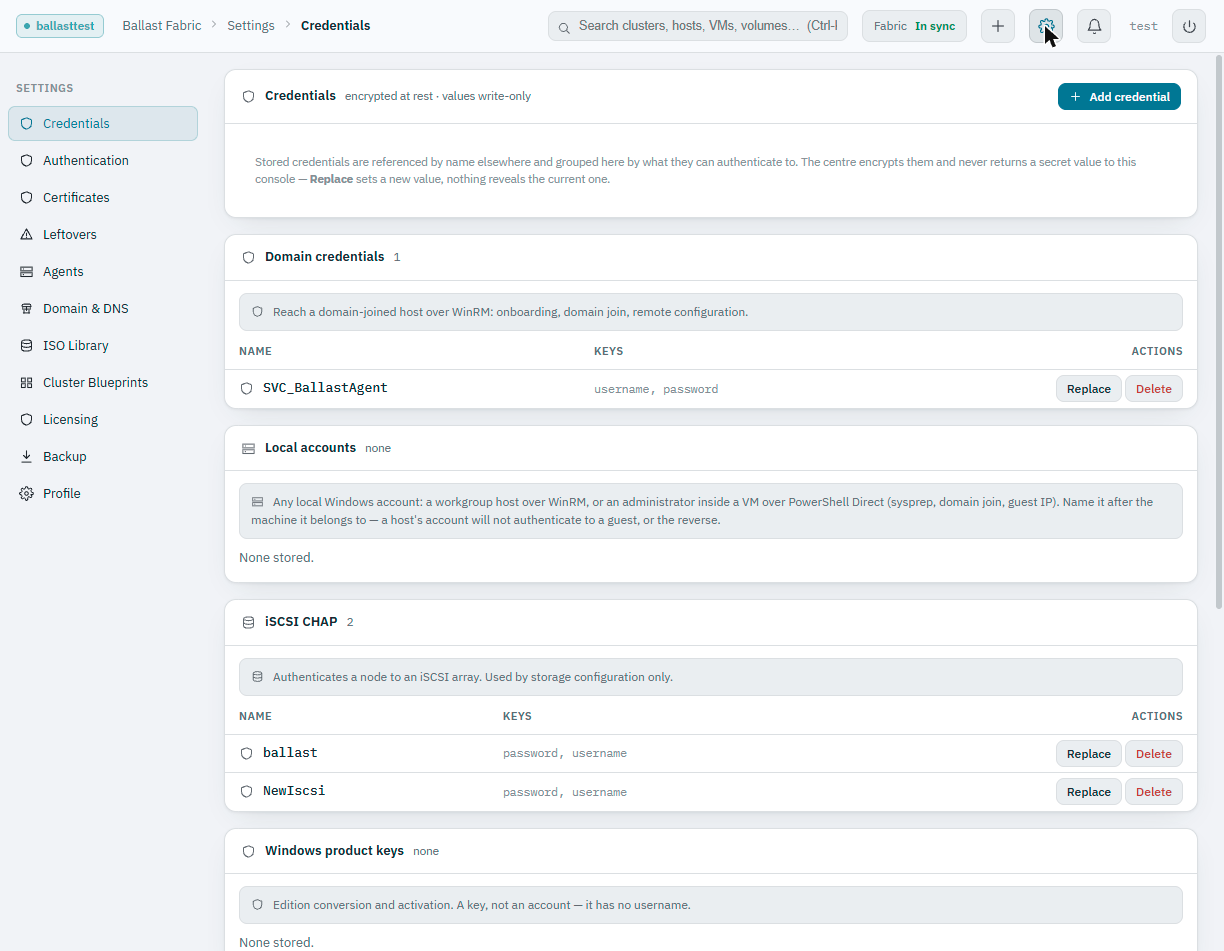
Credentials
The vault. Credentials are grouped by type, because type is not a label here, it decides where a credential can even be offered:
- Domain credentials, reach a domain-joined host over WinRM: onboarding, domain join, remote configuration.
- Local accounts, any local Windows account, whether that's a workgroup host over WinRM or an administrator inside a guest over PowerShell Direct (sysprep, domain join, guest IP). One kind of credential either way; which machine it belongs to is carried by its name, so name it after the machine.
- iSCSI CHAP, authenticates a node to an iSCSI array. Used by storage configuration only.
- Windows product keys, edition conversion and activation. A key, not an account; it has no username.
Values are write-only. The centre never returns them once stored, you see name, type and which keys it holds, never the secret itself.
Authentication
Who may sign in to the console, and as what. Three things live here:
- Inactivity timeout. How long an operator can be idle before the console signs them out. 0 turns it off. It is enforced in the browser, since only the browser sees mouse and keyboard activity.
- Active Directory. Sign in with a directory account, with your groups mapped to the Administrator, Operator and Read-only roles. Included in every tier. See Active Directory sign-in.
- Operator accounts. The local accounts (created by an administrator, at least 8 characters) and, once directory sign-in is on, the directory users who have signed in. A directory account's password and role are managed in Active Directory, so the console offers no edit for it. Local accounts are the break-glass login: they are tried first and keep working when a domain controller does not answer.
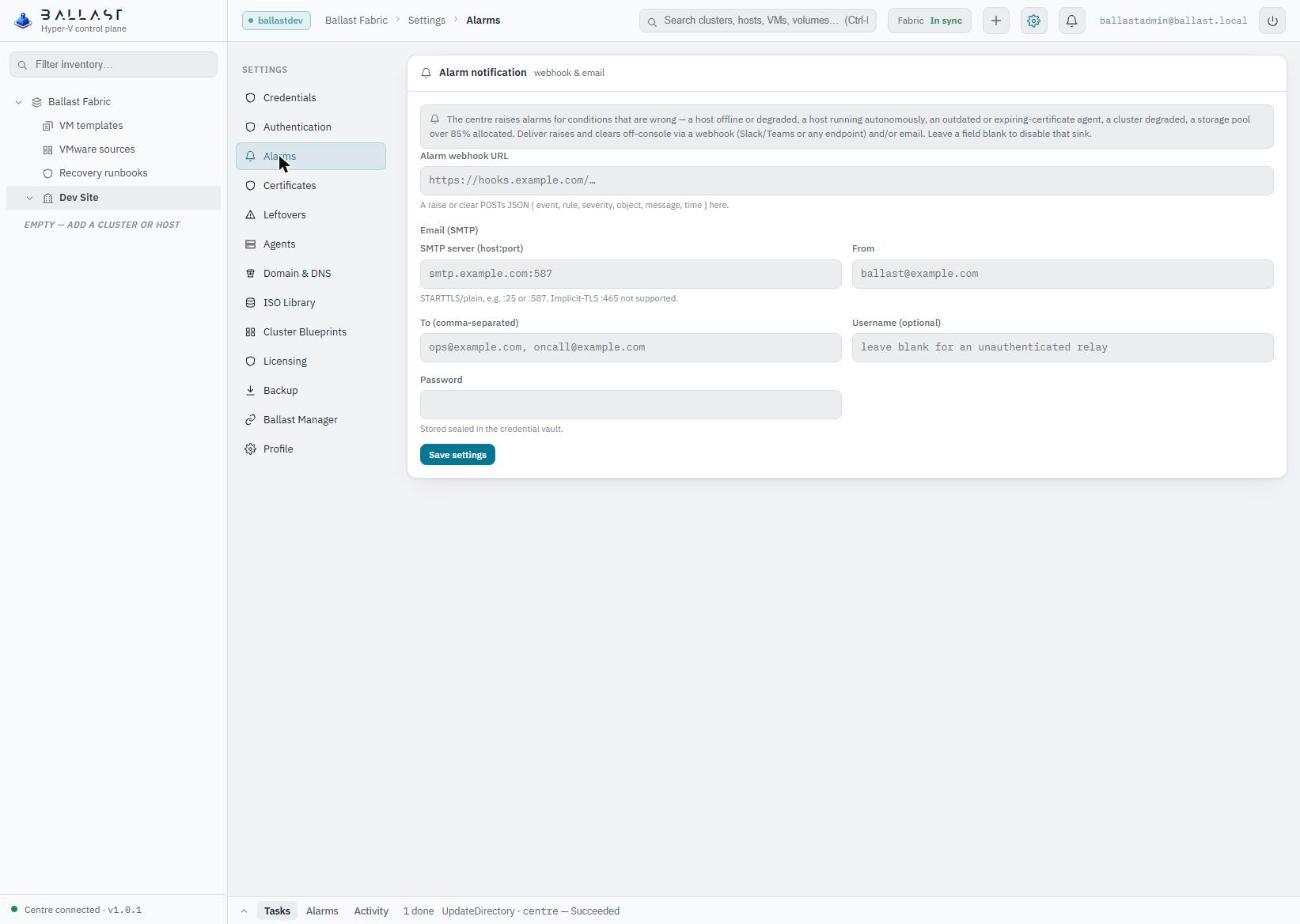
Alarms
Where alarms leave the console. The centre raises alarms for conditions that are wrong: a host offline or degraded, a host running autonomously, an outdated or expiring-certificate agent, a degraded cluster, a storage pool over 85% allocated. Here you choose how they are delivered off-console:
- Webhook. A raise or a clear is posted as JSON to a URL you give, which suits Slack, Teams or any endpoint that accepts a POST.
- Email (SMTP). A server as
host:port, a from address, one or more recipients, and optionally a username and password. STARTTLS and plain SMTP are supported, on port 25 or 587. Implicit TLS on port 465 is not. The password is kept sealed in the credential vault and never shown again.
Leave a field blank to turn that delivery off.
Certificates
The centre is its own certificate authority, the same model as VMware's
VMCA. This page shows the CA root, whether mutual TLS is enforced on the
agent channel, and every agent's client-certificate status with a Renew
action (re-issues the cert, pushes it over WinRM, the agent restarts and
reconnects under its new identity). It also names the console's own
certificate: the base names it always answers to (advertise address,
ballast-centre, localhost, the machine's hostname) plus any extra names
you add, a DNS alias, a load-balancer name, a CNAME. Saving re-issues the
leaf certificate in place; there is no restart, because bouncing the centre
to fix a certificate warning trades an outage for a cosmetic problem.
Leftovers
Records that name an owner which no longer exists, a host still declaring
membership of a cluster that was deleted, a VM still naming a removed
folder, a distributed port still scoped to a cluster that moved to another
centre. Nothing here is individually wrong; what's wrong is the set left
behind, and the only way to clear it used to be a psql session. Grouped
by the missing owner, because an operator who moved a cluster wants to
clear everything it left behind in one decision, not one record at a time.
Removing a leftover touches no host, VM or switch, only the dangling
record.
Agents
Every host's agent version against what the centre currently serves, with a single Update all outdated action that redeploys the current agent binary to every stale host over WinRM and restarts the service. Runs in the background; progress shows in the Tasks bar.
The same page holds the Agent service account: a downloadable PowerShell
script, provision-ballast-agent-account.ps1, that creates the account the
agent runs as with only the rights it needs, scoped to one OU, instead of a
Domain Admin. Run it once per domain from a domain-joined machine with RSAT, then
tick "Already set up for this domain" so the New host dialog stops offering it. See
Security for exactly what it grants.
It is the agent's own identity, which is why it lives here and not under
Domain & DNS.
Domain & DNS
The DNS servers (your domain controllers) fanned into every host's desired networking, so the agent sets them on each host's NICs. Newly onboarded hosts inherit this automatically, set it once here rather than per host. This page is only the DNS servers. It leaves the agent's service account to the Agents page.
ISO Library
The global ISO catalogue. Upload once, see where each ISO is already deployed across the fabric, and optionally push it out to any cluster volume from here. The same per-volume deployment is also reachable from each cluster's own Storage page.
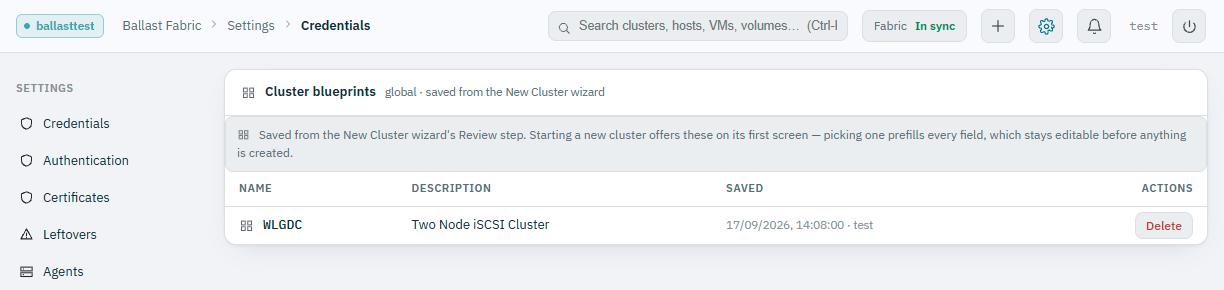
Cluster Blueprints
Saved configurations from the New Cluster wizard's Review step, see Deploying a cluster for the full picture. This page is only for seeing what's saved and retiring one nobody needs any more; saving happens from the wizard itself.
Licensing
Current entitlement and usage, and where a signed license token is installed. Licensing is verified offline and grace periods do not lock you out mid-grace, this is the one place to see the current state and change it.
Backup
The configuration backup, database backup and key escrow, covered fully in Backup and restore. Scheduling, the backup share, and restoring all live in Ballast Manager instead, linked directly from this page, a centre cannot restore the database it is running on, and a page the centre itself serves is unavailable exactly when a restore is wanted.
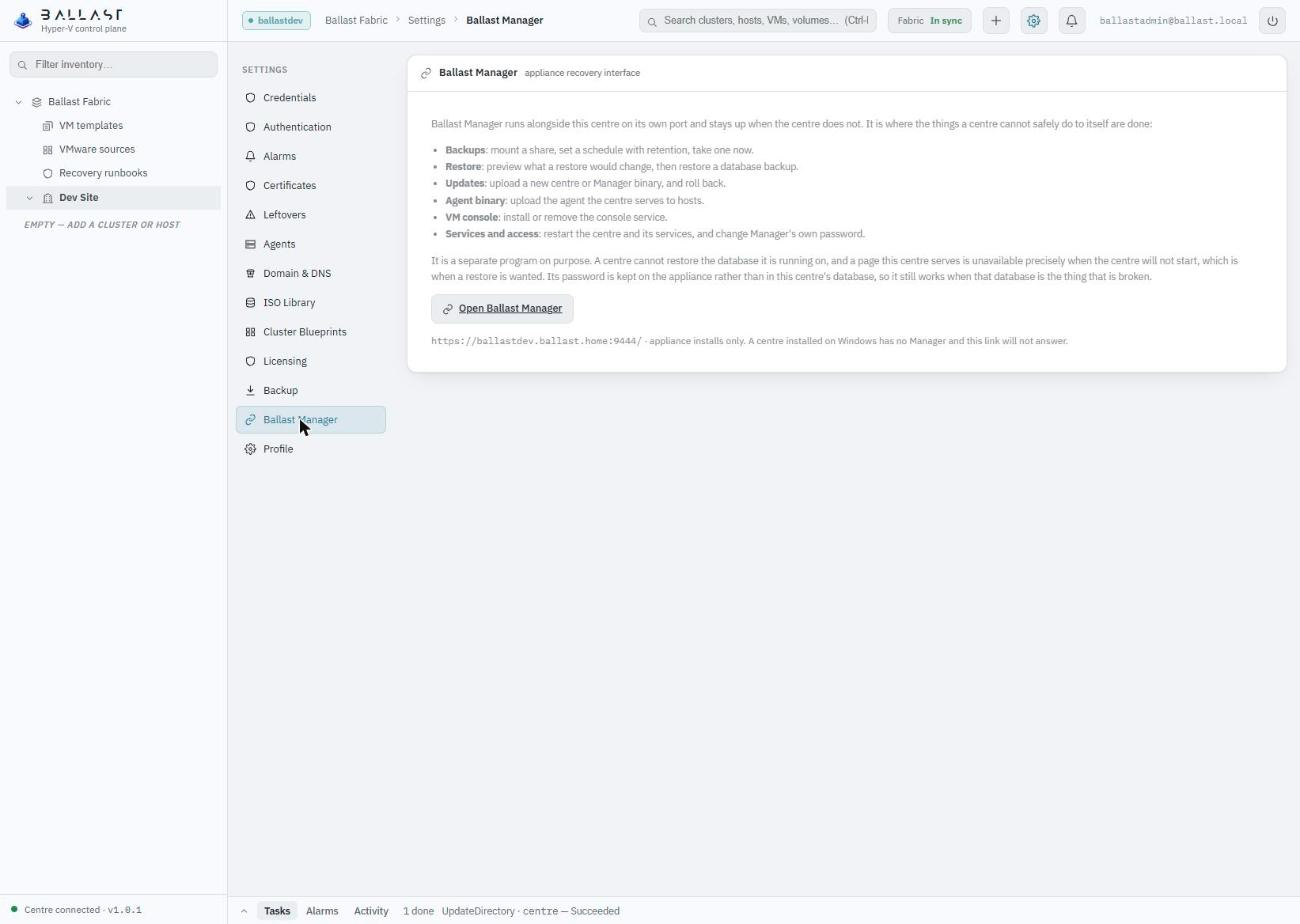
Ballast Manager
A section of its own, holding the link to Ballast Manager, the separate program that runs beside the centre on port 9444 and stays up when the centre does not. It is more than backup. It is where a centre is installed, where scheduled backups to a share are set and a database backup is previewed and restored, where a new centre or Manager binary is uploaded (and rolled back), where the agent binary the centre serves is uploaded, where the VM console service is installed or removed, and where services are restarted and Manager's own password is changed. Its password is kept on the appliance rather than in the centre's database, so it still works when that database is the thing that is broken.
The link is built from the address you reached the centre by, so the name resolves for you. It applies to appliance installs only: a centre installed on Windows has no Manager and the link will not answer. Only administrators see it. Backup keeps a one-line pointer here.
Profile
The signed-in operator's own account and their appearance preference (light/dark theme), saved per browser.